Why Nested Subtasks Beat Flat To-Do Lists
Flat lists hide the shape of your work. Here is how nesting subtasks makes big projects feel smaller and gives you a clear next step.
Mohamad Mouaz
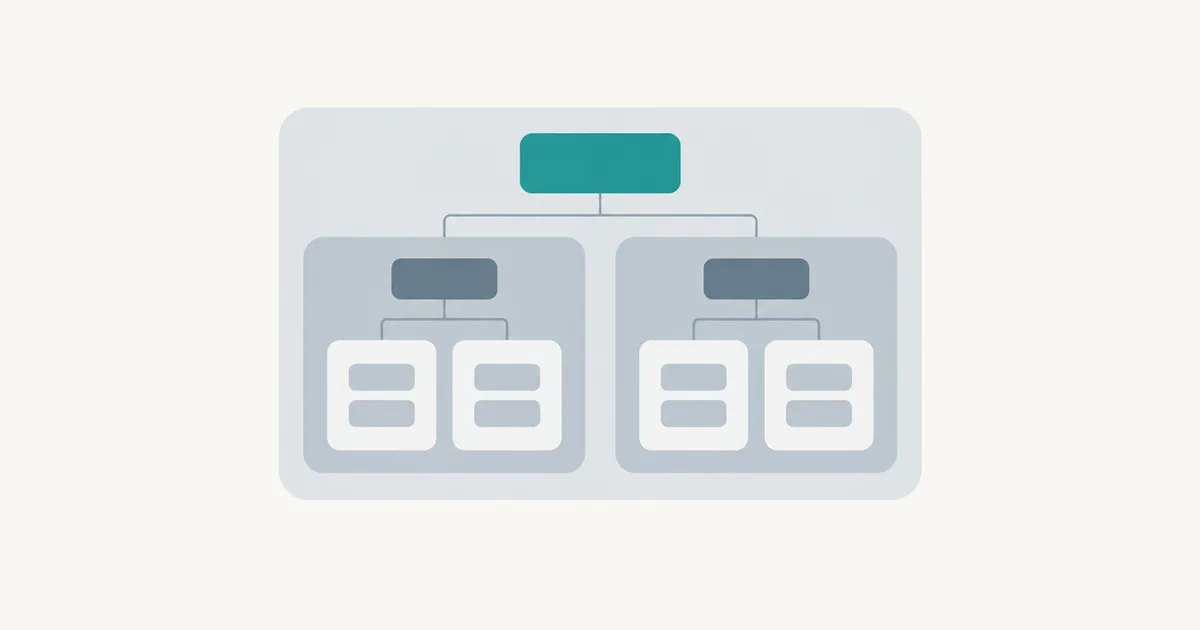
Open your to-do list right now. How many items on it are really tasks, and how many are secretly projects wearing a task's name?
"Launch the new site." "Sort out taxes." "Plan the trip." None of those is something you can do in one sitting. Yet they sit on the list next to "Reply to Sam," and your brain treats them as equals. That mismatch is the main reason flat lists stop working.
I build F4Goals around one idea: tasks should nest. Here is the reasoning, and why I think it holds up whatever tool you use.
A flat list hides the shape of the work
A flat list shows you everything at one level. That feels tidy, but it throws away information. You lose which tasks belong together, which one blocks another, and which one is just a small piece of something bigger.
When the shape is gone, you rebuild it in your head every morning. That is slow, and it is tiring. It is also a quiet cause of the dread you feel when you look at a long list. You are not scared of the tasks. You are scared of the unknown amount of work behind the vague ones.
I wrote about the same problem from the planning side in how to break goals into achievable steps. Nesting is the tool version of that advice.
Nesting forces the right question
When you add a subtask under a task, you have to ask: what does finished look like for this? That question is where most of the value lives.
"Plan the trip" becomes a parent with a few children underneath. Pick dates. Book transport. Book somewhere to sleep. Sort out visas. Each child is small enough to start without a warm-up. The parent stops being a source of dread and becomes a progress bar.
You do not need software to try this. A notebook with indented lines works. But software helps when the tree gets bigger than a page, because it can collapse the parts you are not working on.
Collapse what you are not touching
This is the part people miss. A nested list is only better if you can hide the depth. If every subtask is always visible, you have just built a longer flat list with extra steps.
The habit I recommend is simple. Keep your top level short. Open one branch at a time. Work inside it until it is done or blocked, then close it. At any moment you should see only the few things that matter right now.
That is also why a nested structure helps with focus. Fewer visible items means fewer small decisions, and I have argued before that decision fatigue is a bigger drain than the work itself.
How deep should you go?
Not very. Two levels cover most of life. Three is fine for a real project. Four or more usually means you are planning instead of doing.
A good test: if a subtask has its own list of steps that you could not name in one breath, it deserves to be a parent. If it takes less than half an hour and you know exactly how, leave it as it is.
Here is a trap to avoid. Do not break everything down on day one. Detailed plans for work that is months away go stale fast. Break down the branch you are about to start, and leave the rest rough.
Parents should have an outcome, children should have a verb
One small rule makes a nested list much easier to scan. Name parents after the result you want, like "Website live" or "Taxes filed." Name children after the action, like "Write the about page" or "Collect receipts."
When you read the list later, the parents tell you why and the children tell you what. You never have to guess whether an item is a goal or a step.
What a nested list will not fix
Let me be honest about the limits. Nesting does not choose priorities for you. It does not make a bad goal good. And it will not stop you from adding forty tasks to a list that should have ten.
It does one job well: it makes the size and shape of your work visible, so you can pick the next small step without a fight. If you also want help choosing among those steps, this piece on task prioritization is the next thing to read.
Try it for one project
Pick the messiest item on your list. Give it an outcome name. Add three to six children, each starting with a verb. Close the branch and work on the first child only.
If the project feels lighter by the end of the day, the structure is doing its job. If not, your children are probably still too big. Split them once more and try again.
That is really all nesting is: a way to keep big things honest. Tools like F4Goals just make it faster, but the thinking is yours, and it works on paper too.
Streamline your output with
F4Goals
A high-speed organization system designed for those who value intentionality and execution. Built to keep your goals in focus and your tasks moving forward.